The client sent new copy for the home page.
Meadowstack Framework 2.0
Good design from the first prompt
The components, rules and checks we build every client app on. One-time licence, unlimited projects.
From €249, one-time.
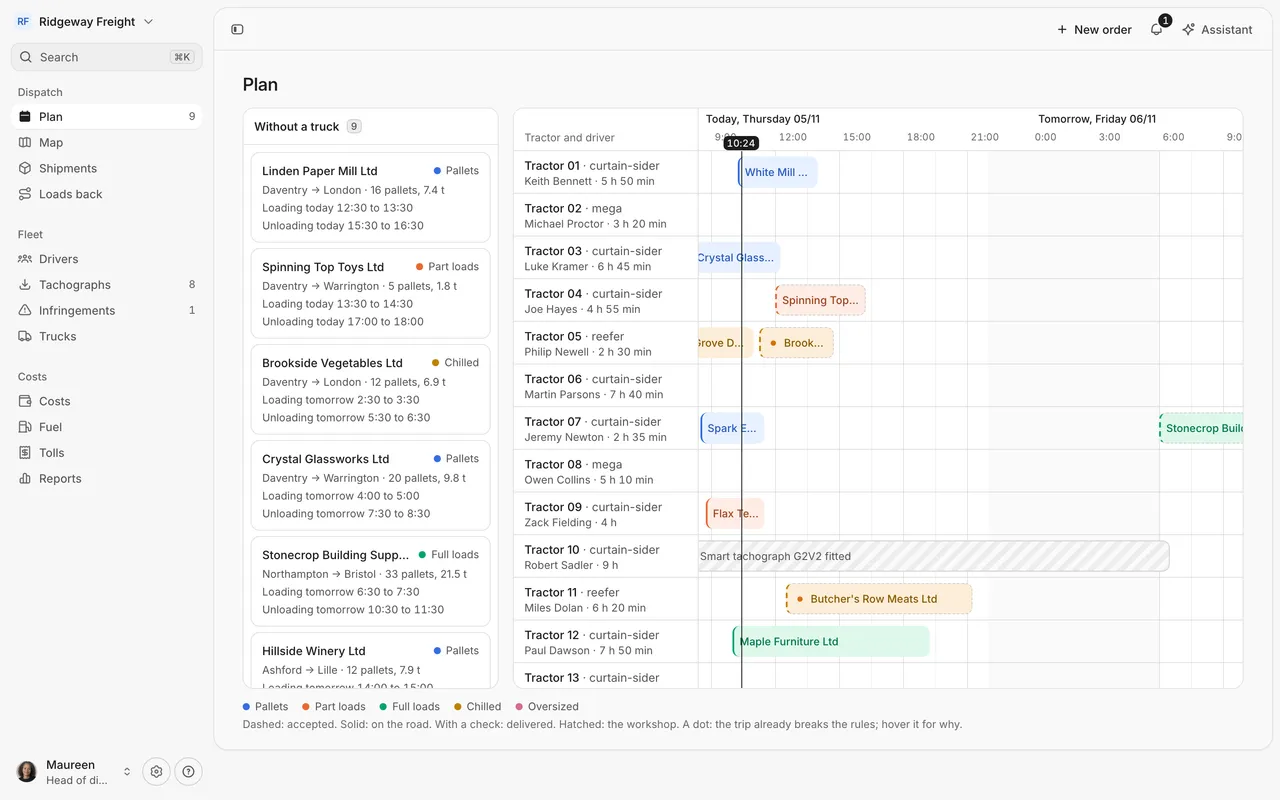
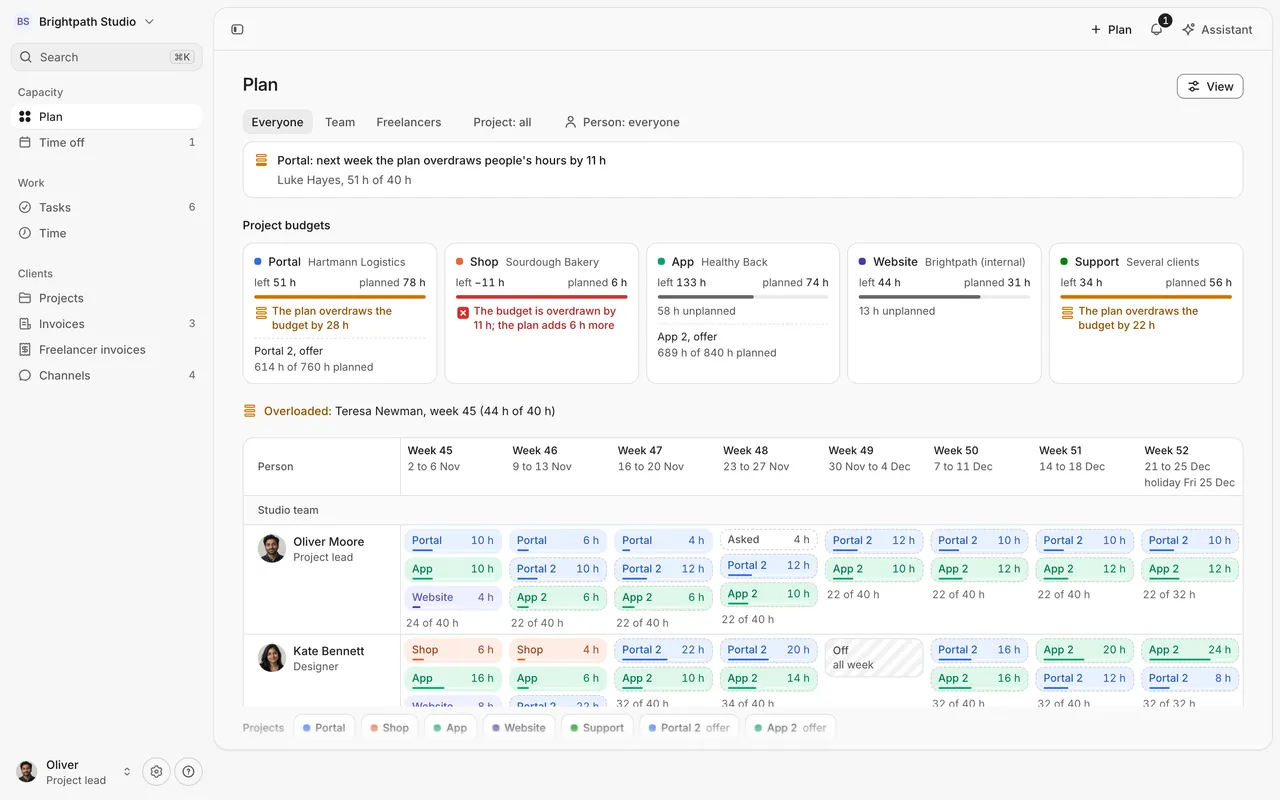
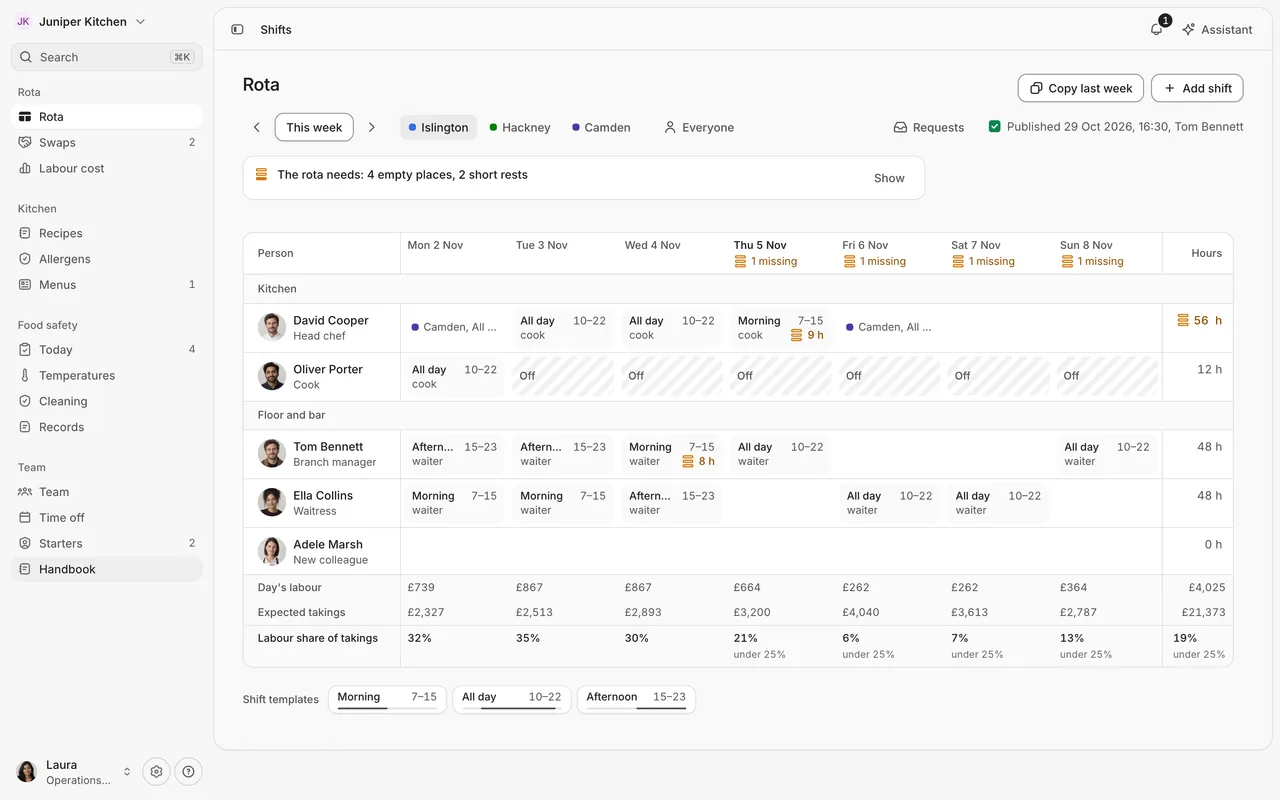
What you get
AI writes code fast. It doesn’t write a system.
Ask an AI tool for ten screens and you get ten different ideas of a table, a form and an error. The framework gives it one way to do each, and checks that it did.
Designed from the first prompt
Components, patterns and rules make the first screen look like it came from a product team.
The same quality everywhere
Every module and every project follows the same rules, whoever or whatever wrote it.
Checks that fail the build
Colours only from tokens, contrast in light and dark, every data screen with its states, accessibility tested.
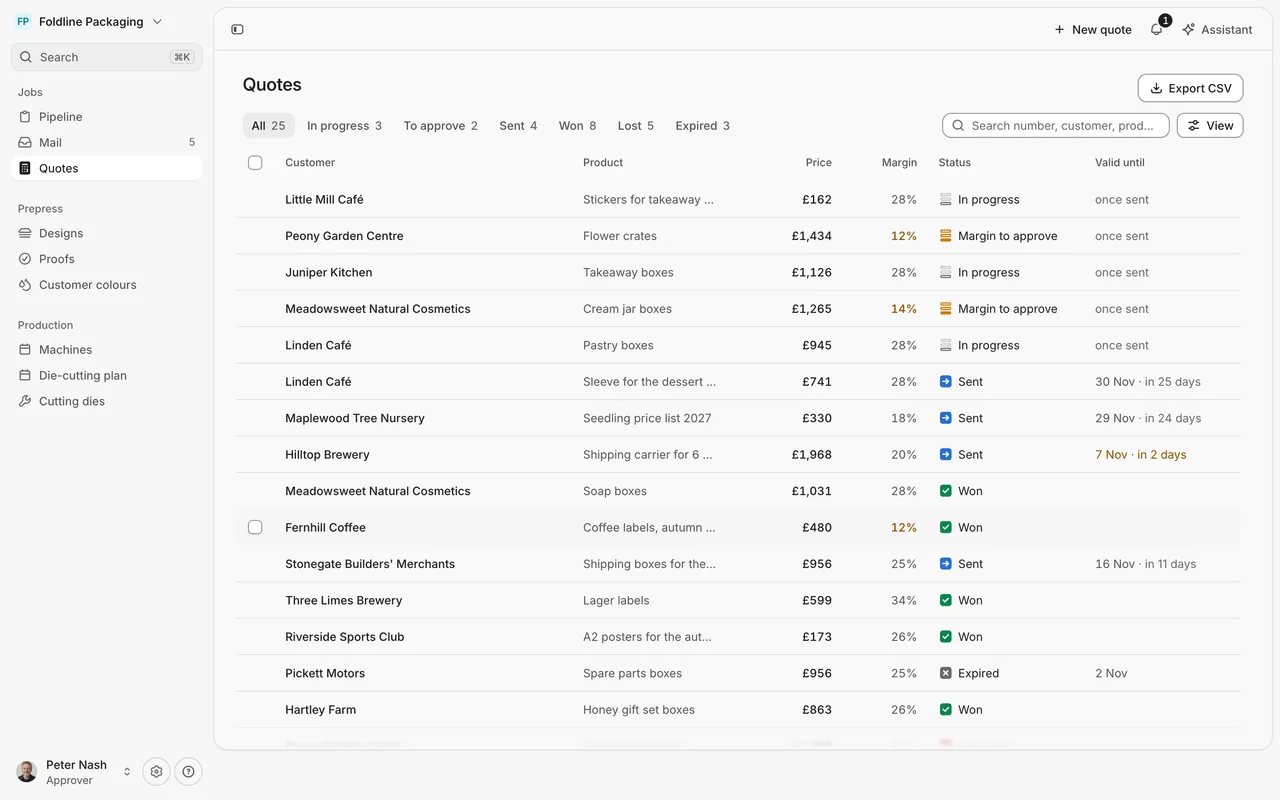
- Sidebar that slides and resizes
- Saved views as pills
- Command palette on ⌘K
- Filters kept in the address
- Status marks with the word
- Avatars in a stable hue
- Table that folds on a phone
- Assistant beside every page
- Export of what you see
- List and board views
- Help and shortcuts
New in 2.0
Screens from archetypes, and tests that keep people oriented
Version 2.0 changes how a screen is built, so an AI tool gets the layout right before it writes a line.
Screen archetypes
Nine kinds of screen with typed slots. One primary action, one region that scrolls, the same header everywhere.
Orientation as tests
The starter checks every route at 1440 and 390 pixels, so nobody gets lost in a screen an AI tool added.
The Objects layer
Receipts, delivery notes, signatures, floor plans and more: things from the real world as components.
MCP for AI tools
A server that answers from the component manifest, so Claude Code and Cursor reuse a component before writing their own.
Assemble your app
In the demo, pick a trade and its modules, then open the assembled app at an address you can share.
Coming from 1.0? Two things change in your code: PageHeader no longer takes a description, and every table column says what it holds. UPGRADING.md has the steps.
Assemble an app in the demoGrows with you
From one app to many
More modules
Add a module to an app with the same recipe as the first.
More projects
Unlimited projects on one licence, client work included.
Updates
New components and patterns for 12 months, or for as long as we develop it.
A Team licence
Up to five developers working the same way.
What’s inside
One folder to clone and build on
A private repository with everything we use on client work. You clone it, open it in your editor and start with the first module.
Claude Code, Cursor, Codex and any editor that reads AGENTS.md. React, TypeScript and Tailwind, nothing exotic.
meadowstack-framework/
- packages/kit/components, patterns, tokens
- AGENTS.mdrules for every AI coding tool
- CLAUDE.mdClaude Code specifics
- .claude/skills/new screen, entity, module, approvals, theme, check
- .mcp.jsonan MCP server that finds the right component
- .cursor/rules/the same rules for Cursor
- templates/starter/an app shell ready for your first module
- docs/recipes/13 recipes: orders, approvals, attendance, bookings and more
- docs/decisions/why each rule is what it is
- UPGRADING.mdwhat to change when you move from 1.0 to 2.0
- apps/demo/a full reference app with nine example apps
- scripts/token, contrast and state checks
From clone to first module
git clone https://github.com/meadowstack-studio/framework.git my-appclaude "Add a time-off module with approvals"After purchase you get access to the private repository.
Everything in it
The complete list
Components, patterns, rules and checks, as they are in the repository today.
Shell and navigation
- App shell with a sidebar that slides, peeks and resizes
- Command palette for pages, records and actions
- Keyboard shortcuts and a list of them
- Help menu: docs, shortcuts, whom to ask, what is new
- Route progress line instead of a full-page spinner
- Workspace launcher and switcher
- Breadcrumbs and a step back for links inside content
- One flat sidebar: modules as sections, counts, settings at the foot
- Create menu in the sidebar or the top bar
Screens from archetypes
- Nine archetypes: index, worklist, record, form, overview, workspace, inbox, settings, canvas
- Header, width, scroll and the way a record opens set by the archetype
- One primary action, quiet in the top bar
- The page never scrolls, exactly one region does
- An overview opens with a headline sentence
- Orientation rules as tests on every route, at 1440 and 390
Objects
- Paper: receipt, A4, delivery note and label, with Download PDF
- Signature field and stamp
- Asset card, product stage and swatch
- Gauge, pass and account card
- Floor plan and weather strip
- Post preview, goal ring and day strip
Lists, boards and records
- Data table with sorting, selection and bulk actions
- Tables that fold into rows on a phone
- Filters as pills, kept in the address
- View options: group, sort, show columns
- Saved views as pills over the list: the same page, another query
- One Display menu for presentation, grouping, sorting and columns
- Board with drag and drop, from the keyboard too
- Record peek beside its list, and the full page
- Pickers that change a property in place
- Sticky group headers that never cover a row
- Optimistic changes with undo in the toast
- Four states for every data view: loading, error, empty, data
- Empty and no-results as different states
Approvals, permissions and history
- Permissions in one file, asked through <Can>
- A recipe to enforce the same rules in the database
- Four-eyes approval: nobody approves their own record
- Rejection always with a reason
- Decision card first on a phone
- Audit timeline with comments
- Confirmation before irreversible steps
- No access page for what a role cannot open
Forms and writing
- Fields with visible labels and messages that say what to do
- Validation with react-hook-form and zod
- Unsaved changes block navigation
- Composer with mentions, files and Cmd/Ctrl+Enter
- Checklists
- Voice messages
Conversation
- Messages by author and day, with a line where the new ones start
- Reactions, typing, threads
- An assistant that answers with the kit's own parts
- A mailbox where every thread sits next to its record
Time and planning
- Timer that grows from its start button
- Week as a grid of time blocks
- Resource timeline with drag, resize and a now line
- Planning grid: copy with Alt, quick add in an empty cell
- Budgets that warn at 80 percent
Charts and data
- Column, line and bar charts with a table behind every chart
- Donut, heatmap and ranked lists
- Goals as reference lines, the running period marked
- Stats with a trend and a change that says if it is good news
- Chart cards and their skeletons
- Colour-blind-safe series in a fixed order
- CSV export
Canvas
- Flow canvas with pan, zoom, minimap and runs along the edges
- The same flow as an ordered list for screen readers and phones
Motion and feedback
- Shared curves and lengths as tokens
- Press feedback on buttons
- Text that swaps through a soft blur
- Numbers that roll
- Work in progress that shows what it is doing
- Toasts, tooltips, dialogs and menus with focus handled
- Reduced motion turns movement into fades
Rules and skills for AI
- AGENTS.md for every AI coding tool
- CLAUDE.md and path rules for Claude Code
- Skill: new module
- Skill: new screen from an archetype
- Skill: new entity end to end
- Skill: approvals
- Skill: client theme
- Skill: final check
- Cursor rules generated from the same file
- MCP server: your AI tool asks for the right component before writing its own
- A manifest of every component: when to use it, when not
- Patterns and principles documented with their sources
- Recipes for the jobs that repeat
- Decisions with the reason behind each rule
Checks
- Colours only from tokens, or the build fails
- Contrast of every colour pair in light and dark
- Every data screen has its four states
- Column kinds, hand-made controls and header actions
- Action contracts: every entity offers what it promised
- Review audit of every demo screen
- Type checks, lint and formatting
- End-to-end tests with accessibility checks
- Visual regression of every story and key screen
Reference apps
- A starter app with an approval flow and its tests
- A demo of nine fictional companies built from modules
- Assemble your app: pick a trade and modules, open it at a shareable address
- A playground with every component in every state
Theme, devices and accessibility
- Light and dark, following the system
- Your brand in one input, contrast checked
- From a phone to a wide screen
- 40px controls on touch screens
- WCAG 2.2 AA: keyboard, focus, labels, contrast
- Czech and English built in
Nothing matches that word.
Pricing
One-time purchase
Every licence is yours for good: you keep the version you have and use it as long as you like. The term only decides how long new versions keep coming.
We could not open the payment page. Try again in a minute, or write to hello@meadowstack.com and we will sort it out.
The Founding 50 sold out while you were choosing. The licences are below at their regular prices.
Founding 50The first 50 buyers pay half the regular price, for 12 months of updates or for updates as long as we develop the framework. Both share the same 50 places. Once they are gone, the offer ends.
Solo
One developer
€125€249€179€359
€249€359one-time- Updates for as long as we develop it
- Every version you get stays yours
- Unlimited projects, client work included
- Updates for 12 months
- After that, keep using your version for good
- Unlimited projects, client work included
Team
Up to five developers
€320€639€399€799
€639€799one-time- Updates for as long as we develop it
- Every version you get stays yours
- Unlimited projects, client work included
- Updates for 12 months
- After that, keep using your version for good
- Unlimited projects, client work included
Renew updates for another 12 months at half the price. Prices exclude VAT, added at checkout where it applies. By buying you agree to the Framework terms and the licence.
Questions about the framework
What exactly do I get?
Access to a private GitHub repository with the kit, screen archetypes, the Objects layer, the rules and skills for AI tools, an MCP server, a starter app, recipes, checks and the demo app. You clone it and build on it.
What is it built with?
React, TypeScript, Vite and Tailwind, with accessible primitives underneath. Your apps are ordinary React apps.
Can I use it for client projects?
Yes. The licence is per developer and covers unlimited projects, including apps you build for clients.
What happens after 12 months?
You keep everything you have and can keep using it. New versions stop until you renew, at half the price.
Can my client keep developing the app?
Your client can run and maintain the app you deliver. Building further apps on the framework needs their own licence.
What do designers get?
The same framework. A Figma file of the framework is in preparation, and designers get it as part of their purchase.
Do you offer support?
The framework comes with documentation and recipes. Questions about the licence go to hello@meadowstack.com. If you want us to help with your app, that is Rescue or Build.